(Introductory review)
Since it's hard to review a hard drive right out of the box, I will update this review at the first, 3, 6, 12, 18, and 24 month points. That should give a respectable idea of the product's performance.
System Disclosure:
I am hooking up the LaCie hard drive to my Mac Mini that is running OS X 10.5.8. I will be using the hard drive as a media storage unit to house videos and music that I will run constantly to stream videos throughout media extenders (Xbox 360) with the software assistance of Rivet.
What's in the Box:
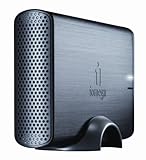
LaCie 1TB Hard Drive
USB 2.0 cable
eSATA cable
FireWire 400 cable
FireWire 800 cable
External power supply
Quick install guide
LaCie Utilities (preloaded on the drive)
User manual; LaCie Backup Assistant (Windows and Mac)
LaCie setup assistant
Setup:
The setup process went quite smoothly. I first plugged in the power supply adapter, which I then connected to the hard drive. From there, I plugged in the hard drive to the Mac Mini via the USB 2.0 cable. That prompted the installation and formatting software to initiate. You're asked to double click the icon. Then you have to agree to the terms of service. After that, you choose your operating system to format and/or optimize your drive. The whole process takes less than 90 seconds, and then you're ready to go.
Initial Transfer:
I had 250GB's of data to transfer, mostly in the form of videos. The transferring of data took about 210 minutes, with 100 percent data retention (meaning there weren't any files missing, damage, or corrupted as far as I could tell). After the data was transferred, I proceeded in setting up my media server again, and was ready to test this unit's performance.
Performance:
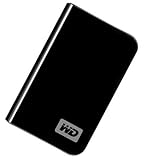
At times, the Rivet software can be picky when adding a new directory. However, this time, I saw my folder on the screen, and was ready to play. I played a few videos, backed out of screens, and paused for a long period. From this, I was able to tell that this hard drive makes no sound what so ever. It put my old Western Digital MyBook to shame in this regard. Loading of media was fast, granted that the factors weren't external, such as; bandwidth issues and Xbox 360 issues. To put it to its full use, I turned on both of my sons' Xboxes and proceeded in playing media from those two units, as well as the one in the home theater room. I wanted to see how well it could handle the load. Again, I was mildly impressed with the results. It handled the tasked excellently without as much as a hiccup. All in all, it's no different than the internal hard drive of the Mac Mini.
Conclusion:
I was dreading the day of replacing my MyBook. It has been so reliable over the last couple years. However, this unit seems to be quite efficient in its quality and function. Add to the fact that it is as quite aesthetically pleasing as it is, you have an easy choice for an external hard drive. All in all, I'm going to give this item 5 stars. My previous external hard drive, Western Digital MyBook 500GB, whose performance was splendid. However, the Mac Mini had the hardest time recognizing the drive when plugged into the USB ports. So having the LaCie pop right up when plugged in was an added bonus.Get more detail about
LaCie Hard Disk 1 TB FireWire 400/USB 2.0/eSATA External Hard Drive, Design by Neil Poulton 301315U.